Growth Hacking Series: Your Post-Purchase Automation Is Probably Too Generic. Here's How to Fix It

Manago AI is the new name for SALESmanago. Read our rebrand story here

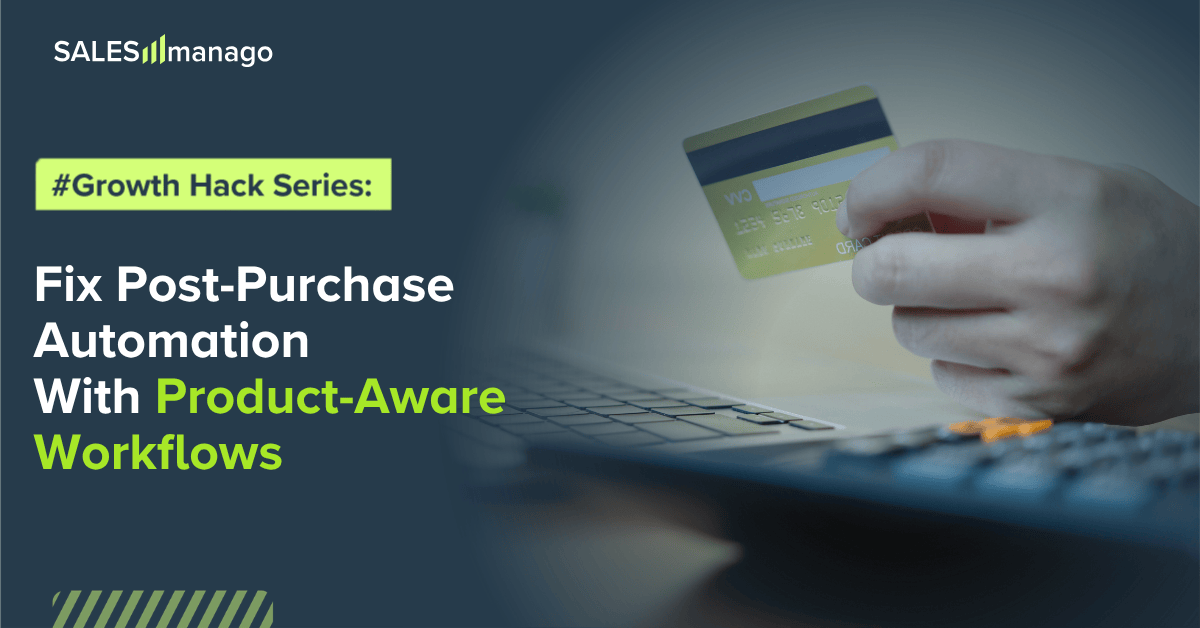
Most eCommerce teams have post-purchase automation. The honest question is whether it's actually doing anything useful.
A lot of those workflows were set up once, never really revisited, and now just quietly run in the background, triggering the same follow-up email whether someone spent $12 or $1,200. A customer buying a $15 water bottle and a customer buying a $2,000 premium bicycle are in completely different situations. They have different needs, different ownership experiences, and different commercial value to your business. Treating them the same isn't just lazy but it is a waste of money.
Most automation programmes are built around broad triggers: a purchase happened, a form was submitted, a cart was abandoned. Those signals are fine as starting points, but they don't tell you what was bought, at what price, in which category, or what that product actually means for that customer's next six months.
So brands default to generic flows. Not because anyone chose generic but because the system didn't give them a better option.
This matters because segmentation and automation are two legs of retention marketing.
The upgrade isn't adding more workflows. It's making the ones you have smarter.
Product-aware automation means your workflows react not just to whether a purchase happened, but to what was purchased. With Workflow Product Events in Manago AI, you can filter and route logic based on category, brand, price, product ID, or custom attributes from your Product Feed. That's the difference between a workflow that fires and one that actually fits.
The bike example is a good one to make this concrete. Someone just bought a bicycle which is not a small impulse buy. It's a considered purchase with a natural servicing cycle, clear accessory needs, and real long-term value to your business. Drop them into a generic post-purchase sequence and most of that opportunity disappears. Build a product-aware flow and you can send a service reminder at six months, a maintenance tip, and a targeted accessories offer right when those things are actually relevant.
Begin by adding the External Event assigned to Contact trigger in Manago AI and select the PURCHASE event type.
At this stage, it is important to define a Location inside the trigger settings. Once you add that condition, you unlock the advanced product conditions needed for precision targeting.
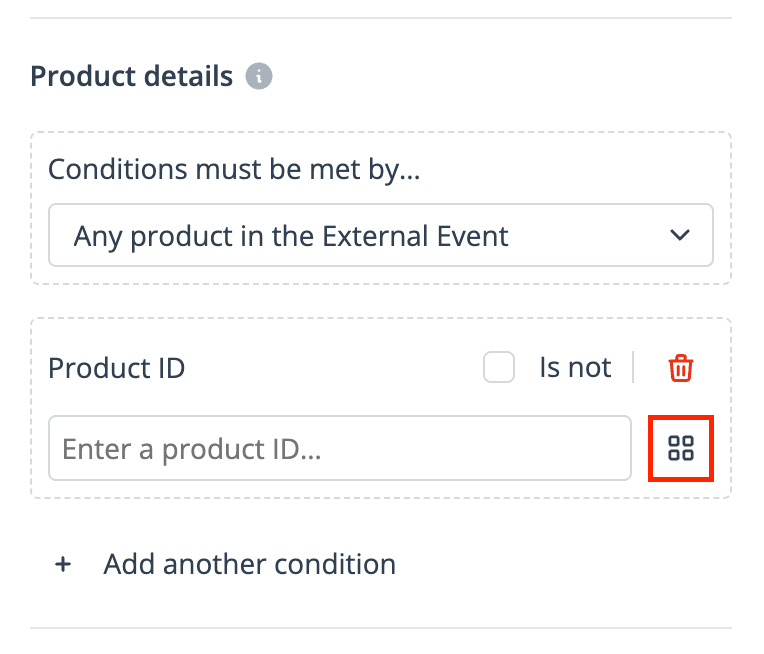
If a customer buys three items in one order, which one should drive the workflow? This step decides that.
In the Product details section, you can choose whether the condition should apply to:
any product in the External Event,
the most expensive product,
or the cheapest product.
This is a small setting, but strategically it matters. It allows you to decide whether the workflow should react to the basket broadly or to the product that most likely defines the purchase.
This is where most teams either get it right or fall into the trap of over-broad targeting.
Now you can filter down to the exact products that should qualify for the scenario. For example:
product category = bicycle,
product price > $500,
optionally narrow further by brand, product ID, or custom feed attribute.
This ensures the workflow is triggered only for relevant, high-value purchases. It also protects you from one of the most common automation mistakes: sending a premium lifecycle flow to someone who only bought a low-ticket accessory.
Timing is what separates a useful message from an annoying one.
In this scenario, a bike service reminder should not be sent immediately after the purchase. Add a Wait node and set the delay to 6 months.
That creates a much more natural post-purchase experience and aligns the message with an actual ownership moment rather than an arbitrary marketing calendar.
Finally, add the Send email to Contact action.
Choose an email template built specifically for this use case, for example:
a reminder that it may be time for a bicycle service,
a limited-time service incentive,
and a product block featuring relevant accessories or maintenance add-ons.
Because the workflow is filtered at product level, the message goes only to customers who actually bought a bicycle. Not to everyone who bought something from the cycling category, and certainly not to someone who only picked up a bottle cage or a pair of gloves.
That is the difference between automation that simply runs and automation that actually performs.
When you make this switch, the results tend to show up in predictable places. Follow-ups that match what someone actually bought convert better - that part shouldn't surprise anyone. What's less obvious is the retention effect: messages tied to real ownership moments feel useful rather than promotional, and that changes how customers relate to your brand over time.
Operationally, it also means your team can manage fewer, better-designed scenarios instead of endlessly cloning campaigns for each category. And once the filtering logic is in place, spinning up new lifecycle flows takes a fraction of the time.
Most eCommerce teams don't need more automation. They need their existing automation to stop being so vague.
If your workflows trigger on a purchase without caring what that purchase was, you're probably sending a lot of messages that are technically correct and practically useless. Product-level filtering fixes the relevance gap, and once it's working, it's one of the more quietly powerful things you can have running in the background.


A recommendation frame may look simple from the outside: six products shown to one customer at one particular moment. What appears in those six slots, however, is the result of several decisions made in sequence. Some belong to the recommendation model itself, while others are controlled by the strategy around it: which products are allowed into the frame, what happe...
Read more
'AI-powered' used to mean something. Now it comes as standard on fridges.At some point the phrase stopped describing technology and started describing marketing. It's everywhere. Didn’t Dyson just add it to electric toothbrushes? It's also on every marketing platform in your shortlist, which is the part that should bother you, because you&#...
Read more
ANIA KRUK is a Polish jewellery brand founded in 2012 that continues the 180-year family jewellery tradition which speaks through their products, emphasising lightness, simplicity, and unforced elegance.
Read more